


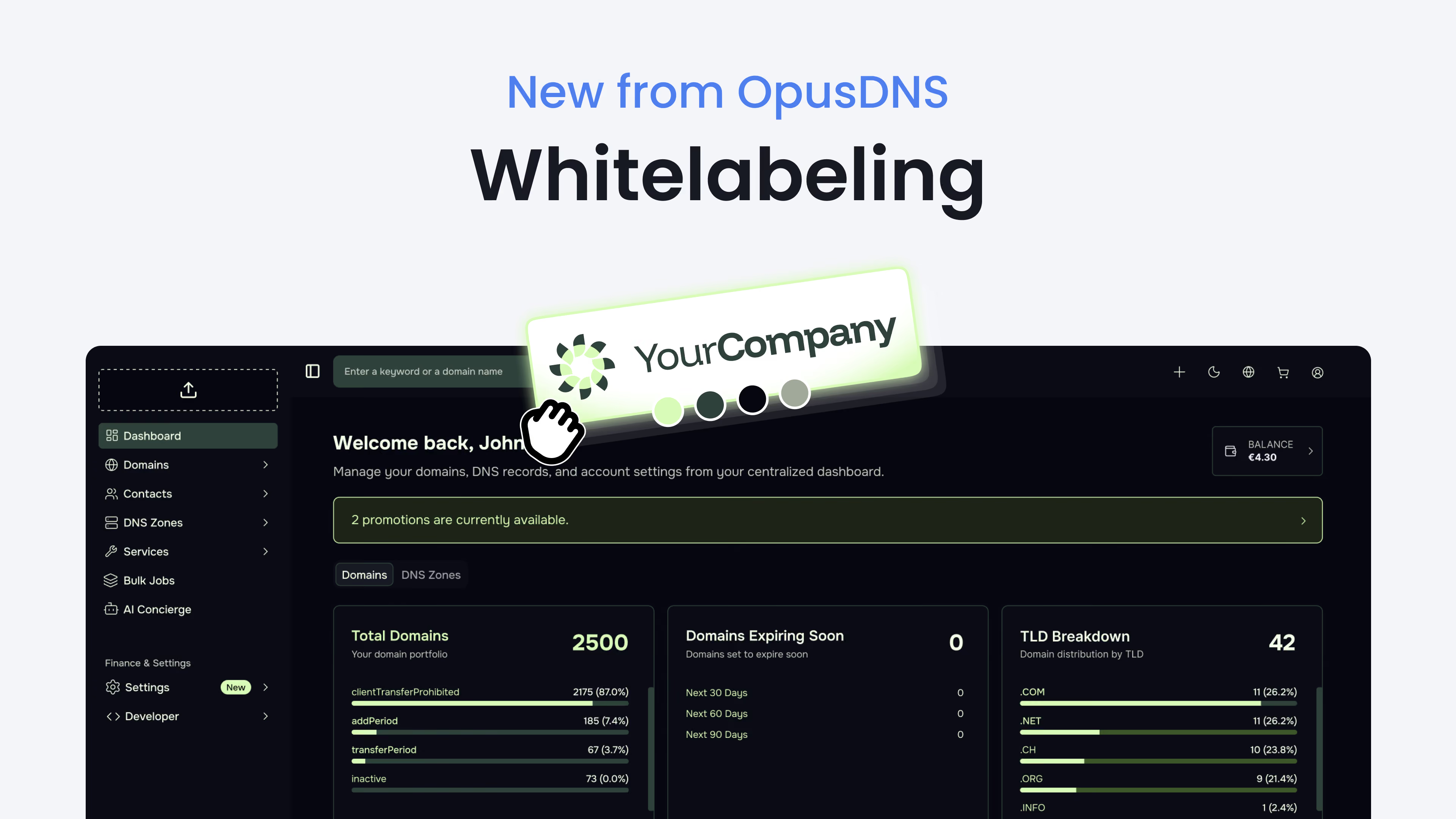
Our principle at OpusDNS has always been clear: our platform and our infrastructure need to adapt to the user, not the other way around. We're proud that, as of today, this now also applies to the visual appearance of our dashboard.
From now on, you can manage your portfolios in your own design: with our new whitelabeling feature, you can fully customize the entire dashboard as well as automated notifications to match your corporate design. This allows you to offer your customers a first-class domain management experience, entirely under your own brand and in your own look.
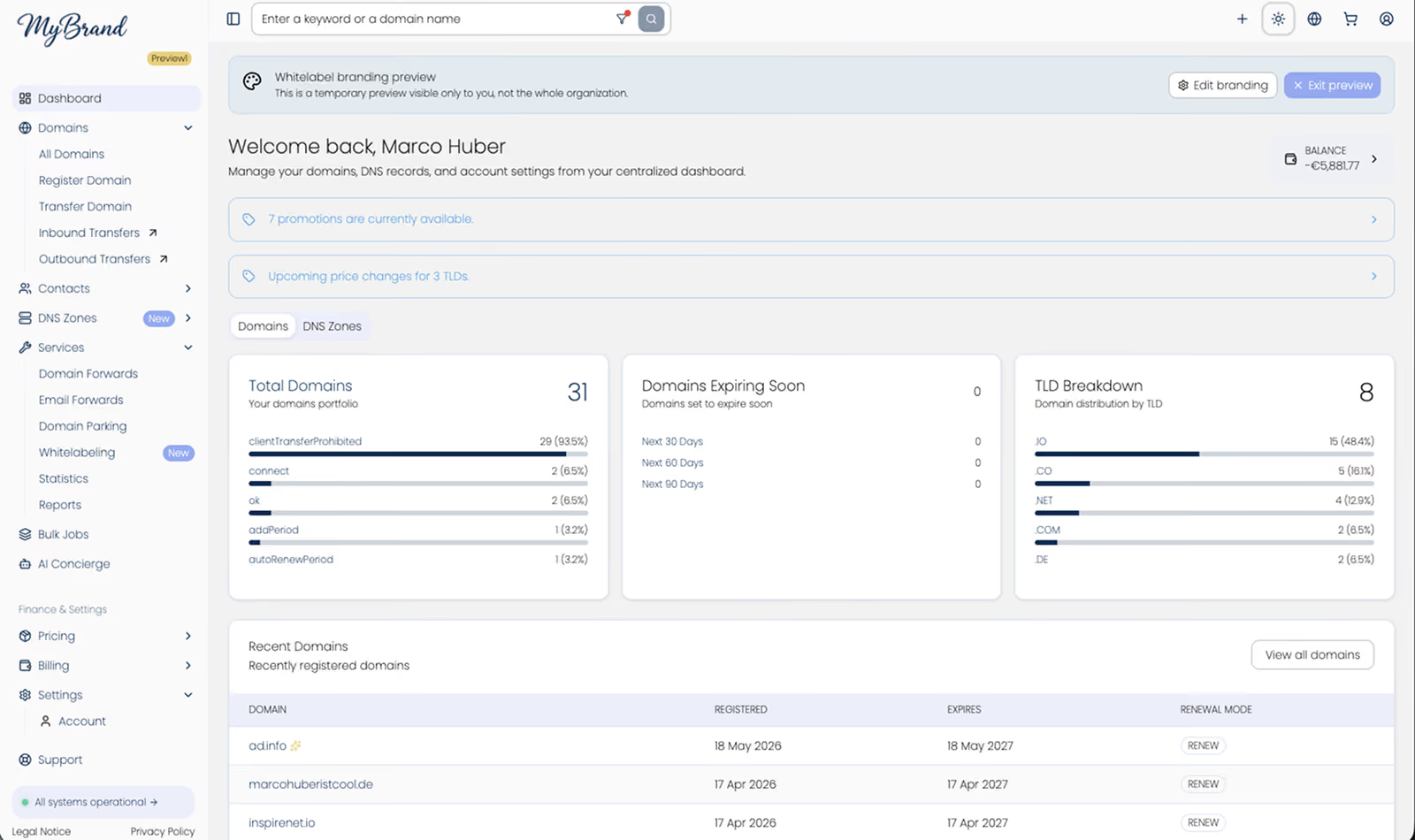
The Dashboard in Your Own Look
The feature offers you comprehensive options for individual customization:
- Logo and typography: Replace the OpusDNS logo with your own company logo and assign your preferred fonts.
- Color scheme and theme tokens: Match primary, secondary, and accent colors exactly to your brand identity. Advanced design options such as border color, element radius, and more round out your design without any compromise to your corporate identity.
- Legally compliant & secure: Add your own company details and links for imprint, privacy policy, and customer support.
- Import & Export: Thanks to the built-in import and export functionality, you can effortlessly tweak and build your theme code. Easily generate or refine complete color palettes using AI assistance and import them in seconds.
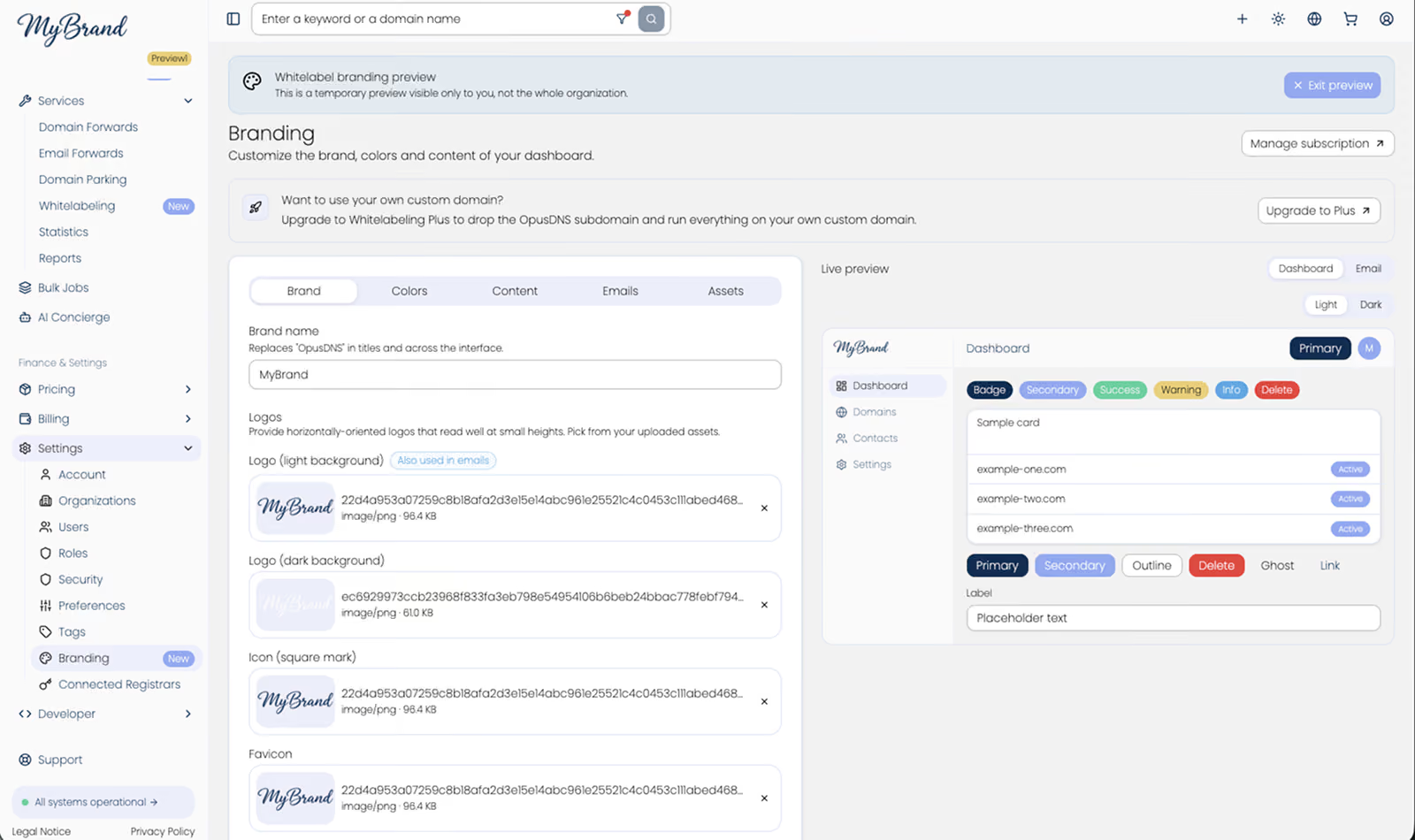
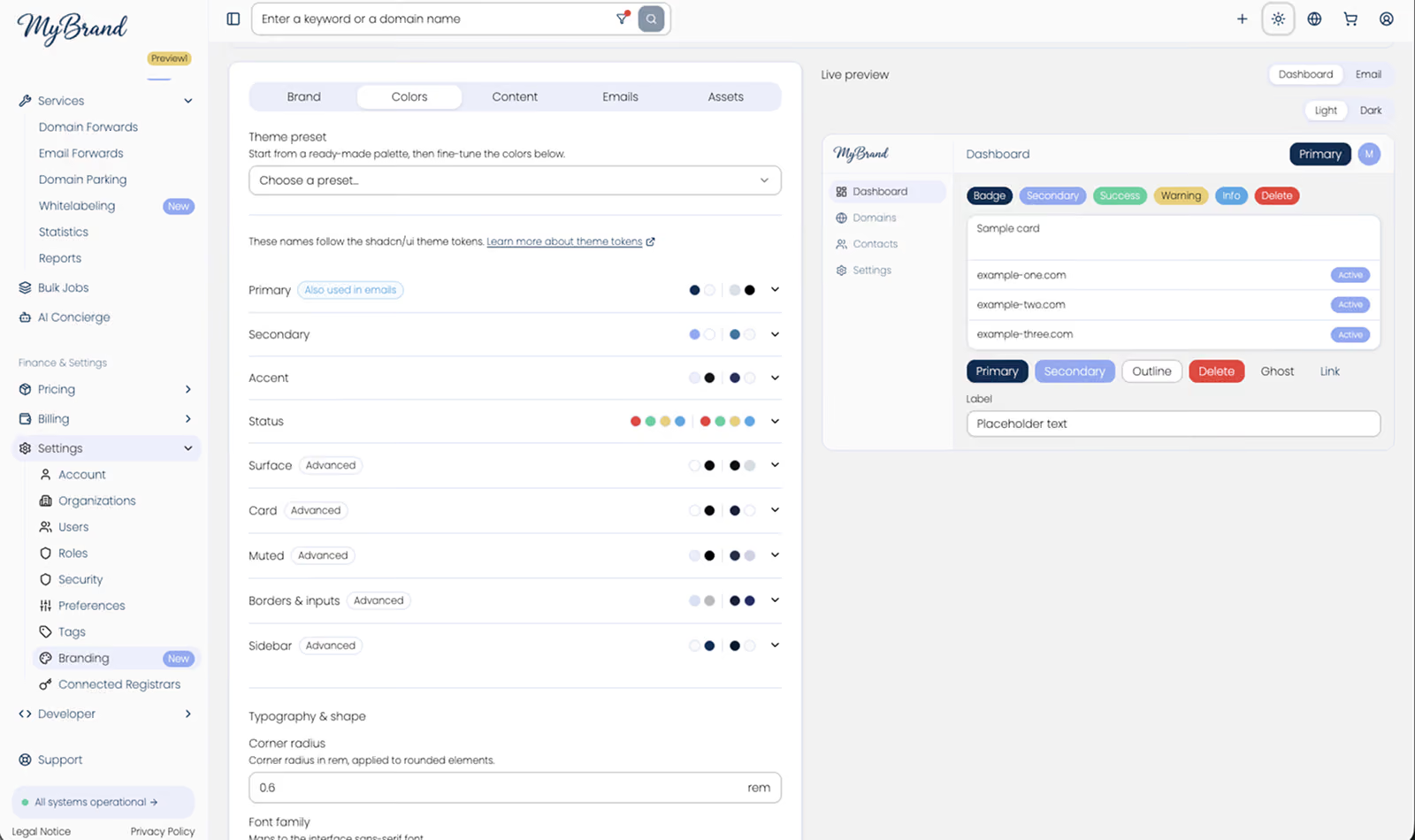
Real-Time Control via Live Preview
To review changes directly, a preview is available to you in the settings:
- Dark and light mode toggle: Switch between light and dark design with one click in the live preview to test the effect in both themes.
- Dashboard vs. email templates: Toggle in the preview between the dashboard view and the email templates. This ensures that system-generated notifications to your customers also perfectly match your design.
Two Tiers for Maximum Flexibility
You can choose between two options:
- Whitelabeling
Full customization of the dashboard, email templates, colors, and logos. The dashboard runs on an assigned subdomain (e.g., app.yourbrand.opusdns.me).
- Whitelabeling Plus
For maximum control and brand consistency, use a fully custom domain of your own. Here you are not limited to subdomains: you can use both subdomains (e.g., dashboard.yourcompany.com) as well as your main domain (e.g., yourcompany.com). All references to OpusDNS are then completely removed from the user interface.
Set Up in Advance and Try It Free
You can try out and configure the entire styling in your account right now, with no obligation:
- In the dashboard, navigate to Settings > Branding.
- Activate the styling and test logos, colors, and email templates in the live preview.
- For custom domains and an upgrade to Whitelabeling Plus, switch to Whitelabeling under Services, or perform the upgrade directly under Settings > Whitelabel.
Our goal remains to give you the most modern tools for your domain business. If you have any questions about the feature, our team is available to you as always.
During the testing phase, our developers designed countless custom dashboards. Our gallery showcases the versatile possibilities now available to you with our Whitelabeling feature.


.avif)