

Eine API = vollständige Kontrolle

Auf Wachstum ausgelegt
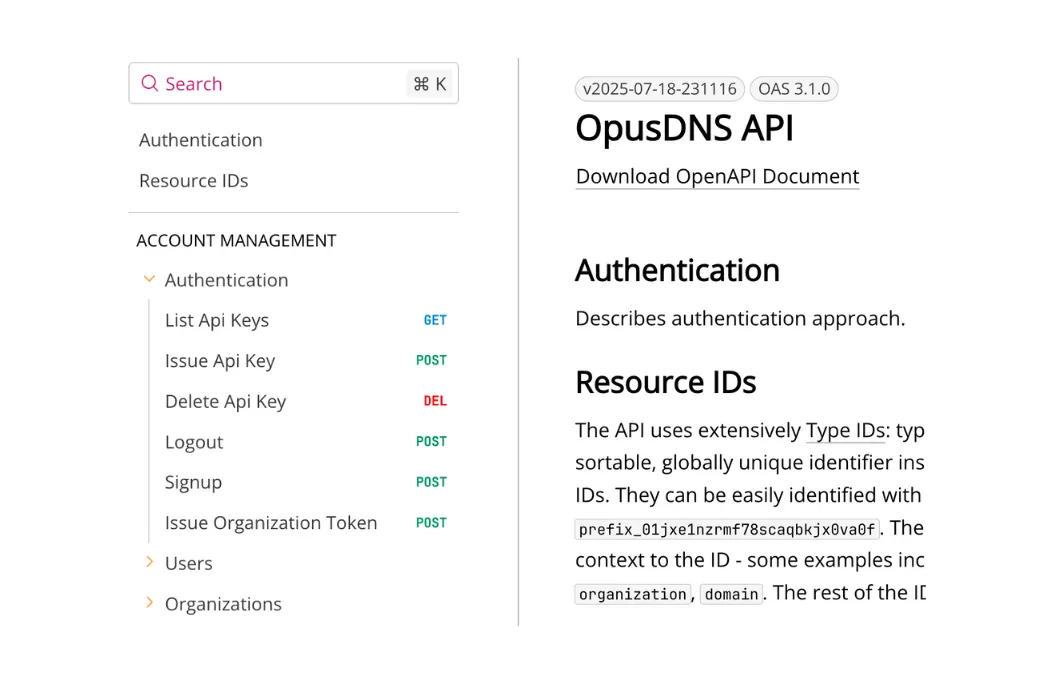
Eine API - viele Optionen und Settings

So funktioniert es

1response = requests.post('https://sandbox.opusdns.com/v1/domains',
2    headers={
3        'Content-Type': 'application/json',
4        'X-API-Key': 'opk_YOUR_API_KEY'
5    },
6    json={
7        'name': 'example.com',
8        'contacts': {
9            'registrant': 'contact_YOUR_CONTACT_ID',
10            'admin': 'contact_YOUR_CONTACT_ID',
11            'tech': 'contact_YOUR_CONTACT_ID',
12            'billing': 'contact_YOUR_CONTACT_ID'
13        },
14        'renewal_mode': 'renew',
15        'period': {
16            'value': 1,
17            'unit': 'y'
18        },
19        'nameservers': [
20            {'hostname': 'ns1.opusdns.com'},
21            {'hostname': 'ns2.opusdns.net'}
22        ],
23        'create_zone': True
24    }
25)1response = requests.post('https://api.opusdns.com/v1/domains',
2 headers={
3 'Content-Type': 'application/json',
4 'X-API-Key': 'opk_YOUR_API_KEY'
5 },
6 json={
7 'name': 'example.com',
8 'contacts': {
9 'registrant': 'contact_YOUR_CONTACT_ID',
10 'admin': 'contact_YOUR_CONTACT_ID',
11 'tech': 'contact_YOUR_CONTACT_ID',
12 'billing': 'contact_YOUR_CONTACT_ID'
13 },
14 'renewal_mode': 'renew',
15 'period': {
16 'value': 1,
17 'unit': 'y'
18 },
19 'nameservers': [
20 {'hostname': 'ns1.opusdns.com'},
21 {'hostname': 'ns2.opusdns.net'}
22 ],
23 'create_zone': True
24 }
25)Developer Driven
Von Entwicklern für Entwickler gebaut
Sie wurde mit Blick auf Präzision, Leistung und Erweiterbarkeit entwickelt und bietet genau das, was moderne Entwickler brauchen: Zuverlässigkeit im großen Maßstab, Schnelligkeit unter Druck und die Flexibilität, die sie brauchen.








How to Connect
Schritt 1
Erstellen und aktivieren Sie ein OpusDNS-Konto, indem Sie sich einfach und schnell anmelden.
Schritt 2
Gehen Sie im Dashboard in Ihre Einstellungen für Entwickler, generieren Sie Ihren API-Key und legen Sie sofort los.
Schritt 3
Registrieren, übertragen und verwalten Sie Ihre Domains mit uns über die API, einschließlich DNS-Verwaltung und vieler weiterer Funktionen.
Risikofreies Testen in unserer Sandbox
Testen Sie unsere API in einer isolierten Umgebung und gehen Sie sicher, dass Ihre Anbindung mit der OpusDNS-API reibungslos verläuft. In der OpusDNS Sandbox können Sie kostenfrei Domains registrieren, transferieren, DNS-Zonen verwalten und weitere Funktionen testen ohne Auswirkungen auf Ihr bestehendes Domain-Portfolio.
Folgen Sie dazu der Anleitung in unserer API-Dokumentation, um Ihre Sandbox in wenigen Minuten einzurichten.